EA Cricket 2007 is a cricket simulation computer game from EA Sports and developed by HB Studios. It is available for Windows and PlayStation 2. The game was released in the UK on 24 November 2006 and in Australia on 14 November 2006. The cover of Cricket 07 features England and Lancashire cricketer Andrew Flintoff, and the Australian release cover pictures the Ashes urn with the Australian and English flags behind it. Key Features Groundbreaking Control Use the intuitive dual analog Century Stick batting system to select foot choice, shot direction, power and timing. With button controls to loft shots and advance down the track, you’re free to crack a full array of shots all around the wicket. Success with the bat also relies upon your batsman’s individual skills, allied with his confidence level. A confident batsman maximises his potential to time his shots sweetly – maintaining high confidence can make or break his ability to build a big innings. New Cameras Innovative views from behind the batsman offer a realistic batting perspective, and a reworked Broadcast camera gives you a wider view of the play for more authentic coverage. Quick play Cricket Play cricket your way by setting your own pace. Crank up the game speed, ease back the difficulty setting and revel in the razzmatazz of Limited Overs or fully-licensed Twenty20 extravaganzas by playing a fast-blast match of hard-hitting sixes – or slow the pace down, slide the difficulty up and steel yourself for a five day Test. Greater Depth A new picture-in-picture display with a shot timing gauge coupled with a running assistance indicator and radar help you make those snap decisions out there in the middle. On-the-fly Dynamic Field Positioning and Quickswitch bowling give you the ability to ratchet up the pressure on the batsmen by changing the field and the bowler’s line of attack without a break in play. Tournament Options Lead this year’s eagerly anticipated 3 mobile Ashes campaign Down Under, replay the legendary 2005 npower Test Series or unlock a stack of rewards by accomplishing Ashes challenges. Take part in the frenzy of the fully-loaded, fully-licensed English and Australian One Day blitz of extreme Twenty20 cricket, dive into a complete schedule of Australian State and English County tournaments, tour the world, win the World Championship or compete for glory in Test matches and One Day Series games with all the top cricketing nations of the world. Authentic Content For the first time in an EA SPORTS™ Cricket title, renowned bat manufacturers Gray-Nicolls, Puma, Slazenger, Kookaburra and Gunn & Moore bring their weight of authenticity to the day’s play. Relish the big game atmosphere with new broadcast visuals, wicket textures and astute new commentary from the masterly broadcast team of Mark Nicholas and Richie Benaud as you play out a nail-biter against the faithfully realised backdrop of a legendary international venue or a cherished domestic ground.
System
System= Pentium III CPU 1.0 GHz RAM= 256 MB Size= 624.7 MB Video Memory= 32 MB OS= Windows XP, Vista, 7 and Windows 8
Sleeping Dogs Game Limited Edition Free Download For PC Ahmii
Sleeping Dogs Digital Edition (NA) | PC game .Buy Sleeping Dogs – Limited Edition on PC Games.sleeping dogs limited edition free full version pc.sleeping dogs free download for pc-limited edition.Download Sleeping Dogs-Limited Edition.Sleeping Dogs Limited Edition.Sleeping Dogs Limited Edition V1.4 With DLC 2012.Sleeping Dogs Limited Edition Pc Game Free Download Full
System Requirments:-))
Processor: Quad-core Intel or AMD CPU
Memory: 4GB
Hard Disk Space: 15GB
Video Card: DirectX 11 Nvidia or AMD ATI card, Nvidia GeForce GTX 560 ATI Radeon 6950
GTA V PC release date was March 24, 2015 and it was released for PC, Play Station 3 and XBOX 360. This is a fifth and the most wonderful installment in the whole Grand Theft Auto series. This game has extra high graphics. This version shows real life reality and no doubt, it includes scenes that happen in real life and in reality. Later I will talk about download grand theft auto 5 for PC, but it is time to show you some screenshots that are very cool.
GTA 5 PC Game Screenshots
You can see this gang picture, the person who is holding bag on his shoulder is the boss and the two people standing behind him are his guards. In this installment, gang member system is also implemented, in each and every city, there are different gangs, the more you can engage members in your gang, the higher there are chances to get fame in a city.
This is the cell phone which our player carries inside his pocket. This is used just like a real one because in some cases, we have to take pictures of popular gang members and kill them. This mobile helps our player to take snapshots and kill those gang members easily.
This screenshot is right towards the Hotel, there was a gang standing inside to whom we have to beat, now the player has killed all the gang members and he is running out of sight because the cops will be already on their way.
The player inside this gta on computer also uses a helicopter to kill enemies, you can see our player is firing from helicopter and the gang member is inside the car, the mission is to kill this gang member inside helicopter.
GTA V PC Download No Survey
You can easily get this installment without any survey, just you need to have a torrent software installed on your PC.
How To Install?
Installation method is very easy, just you need to focus on what I will say and do.
Download complete game
Open folder and launch setup
Install game completely
Open installed directory
Play and enjoy
This was the way of installation and I hope it is quite easy. Just get to work and download GTA 5 demo version is not available, this is full version with kickass torrent link.
System Requirements
Operating System (OS) = Windows XP (SP 3), Windows Vista and Windows 7+8
Processor = 3.2 Intel Core 2 Quad
Ram (Random Access Memory) = 4 GB
Video Memory (VGA Card) = 512 MB 1 GB Recommended
Total Disk Space Required = 136 GB
Keyboard
Mouse
GTA 5 PC Game Links
How To Download? You must have a torrent software to download this game. How To Install? Download game Open Setup Install Play and enjoy. Click Here To Download GTA 5
Title: Tom Clancys EndWar-CorePack Genre: RPG, Strategy Developer: Ubisoft Shanghaï Publisher: Ubisoft Release Date: 25 Feb, 2009 File Size: 2.40 GB / Split 5 parts 510 MB + Single Link ISO Mirrors: Mega.nz, GDrive, Direct FTP Link, Uptobox, Upfile.Mobi
Free Download Tom Clancy’s EndWar Repack PC Game
Live the thrilling career of an army commander and lead your army to victory in a massive online World War III! Take control of the U.S.-led Joint Strike Force, the European Enforcers Corps, or the Russian Spetsnaz Guards Brigade in a persistent ongoing World War. Create your army to match your tactical style and create a strategy that will defeat your enemies.
You Are In Control
In addition to traditional RTS controls (mouse selection, hotkeys), EndWar goes beyond other Real Time Strategy games by letting you use your own voice to control your units, offering you true control at the speed of thought.
Putting You in the Battle
Instead of using the traditional top-down view, EndWar employs a unique third-person camera that puts you in the heart of the battle, making the use of terrain and cover even more critical to achieving victory. Zoom in and out at will and watch the devastation unfold as hundreds of units engage the enemy on fully destructible battlefields.
Armed for the Future
True to the Tom Clancy legacy, EndWar offers a wide range of vehicles, weapons and equipment based on real-world military research, giving you unprecedented access to the cutting-edge technology of tomorrow’s wars, such as drones and space-based weapons of mass destruction.
READ THIS
1. Extract
2. Install The Game Using Setup.exe
3. Run The Game From Desktop Shortcut
4. Enjoy & Play
Best Photoshop Tutorials For Making Cartoon Characters
This post features the perfect Photoshop Tutorials for creating Cartoon Characters. We all know that Adobe Photoshop is a great tool for designers when it comes to create vector graphics. After the introduction of Adobe Illustrator so many designers shifted to Illustrator from Photoshop. Adobe designed Illustrator specially for drawings and vector graphics. But still Photoshop is the most popular software for every kind of designs. In this post we are concentrating on the Cartoon Character tutorials. These tutorials will help you to create beautiful and pixel perfect Cartoon Characters. Don’t forget to check our Photoshop Tutorials and Resources. We have a huge collection of Photoshop tutorials and resources that will take your Photoshop skills to the next level.
These turtorials are very unique and nice i wanna give the credits to the authors of these turtorials
How to create your own social networking site Ever thought of building your own social networking website for college, organization or something like facebook? If yes, then this article is for you. Even if you know nothing about coding, you can still get your social networking site up and running. In “The Cathedral and the Bazaar”, Eric S. Raymond said – “Good programmers know what to write. Great ones know what to rewrite (and reuse).” The above quote means, if there are already tools available to build a social networking website, why will anyone want to start from scratch? let’s re-use existing tools, setup your own social network and if you need anything which is not present in it; only then you have to code for it.
As of today, there are quite a good number of social networking platform exist- commercial, cloud-based and open source. We will see the list of available platforms, but will pick the best one for building our own.
An award-winning social networking engine. Completely open source, PHP based and very powerful. Elgg powers networks for a wide range of organizations including Australian Government, British Government, Wiley Publishing and many more.
A free, open-source social network plugin for Ruby on Rails applications. Drop it into your new or existing application, and you’ll instantly have all the features of a basic community site.
Commercial but cheaper than SocialEngine. Built from the ground up for social, Ning’s scalable hosted platform gives you the tools and expertise you need to publish and connect with your community.
5. phpFox [updated]
Commercial and ready to go social network for your business. It is modular based allowing you to easily plug-in or plug-out a feature with a click on a button. This allows developers to easily develop new and awesome features to further extend your communities capabilities.
Okay, enough talk about existing solutions, what we are really interested in is to build our own social networking website and show off to our friends. So let’s begin – and yes as we said, we will always go with the best one instead confusing users with some sort demo of all. From the above list, Elgg is the one for us.
Since Elgg is a PHP-based social networking platform which uses MySQL as back-end, to get started with it; we need to setup a PHP based development environment on our local system. Once you have built and configure the complete solution and you feel that it’s ready to go live, we will point you to our article on how to make it live on internet. Follow the following steps to setup your PHP development environment –
Download and install XAMPP for your platform fromhere. It has all required component for setting up PHP development environment.
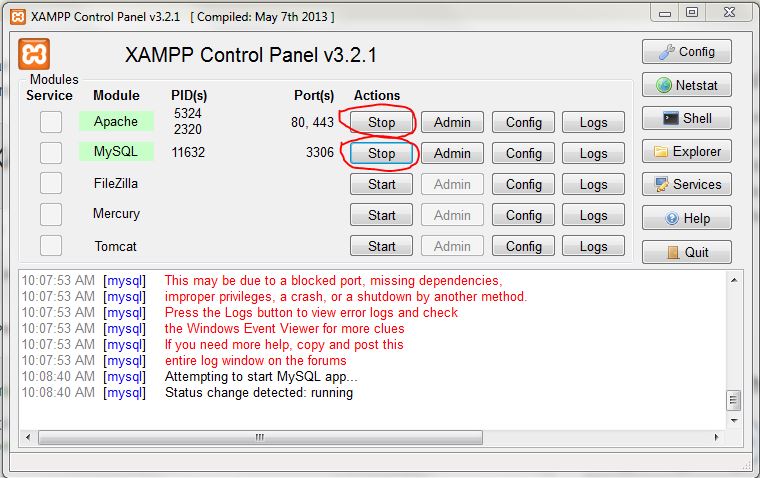
Open XAMPP control panel from start menu and enable Apache and MySql services.
XAMPP control panel
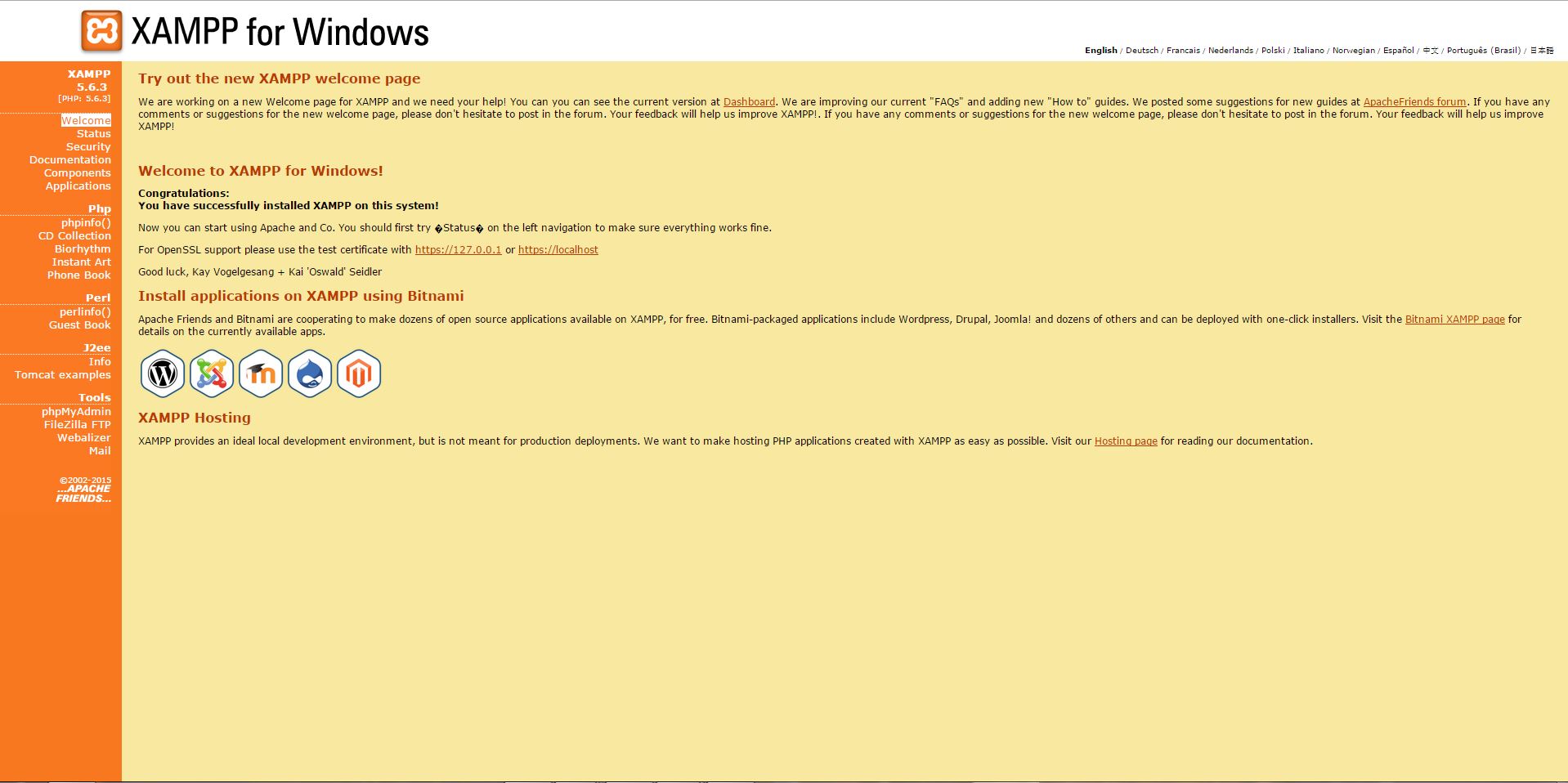
Open http://localhost in you browser. You will see a splash page of XAMPP, select your language and it will open XAMPP web admin panel.
XAMPP web Admin panel
If you are seeing that page than well done you have setup your development environment.
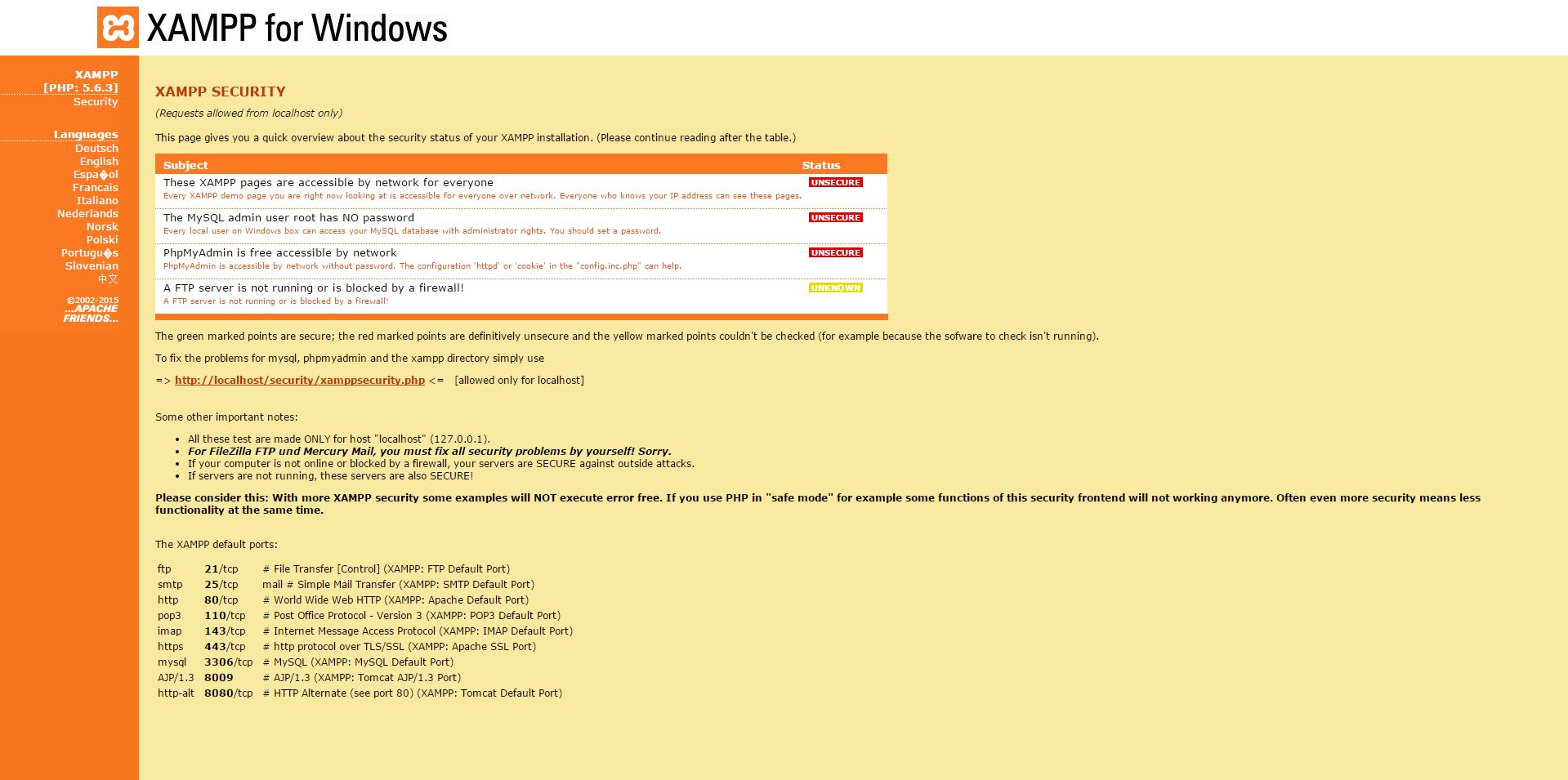
There is one important thing we should never forget to do is to check the security settings. Click on the security link on the left sidebar of the admin panel. You will see that MySQL has root user but no password and hence showing insecure –
xampp security page
Let’s secure MySQL by clicking on the linkhttp://localhost/security/xamppsecurity.phpand setting up the password for MySQL root user –
mysql password setting
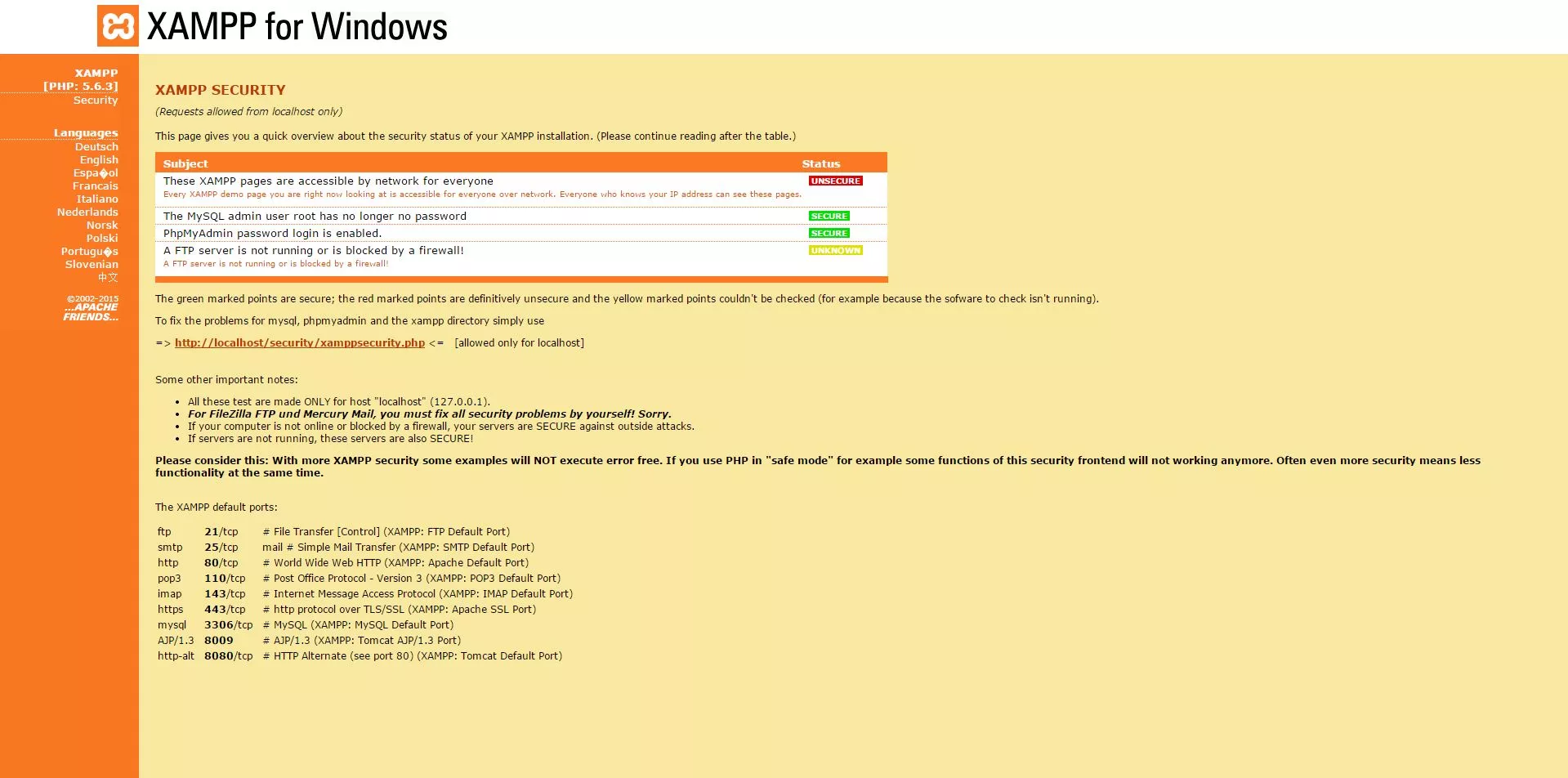
Once you set the password for MySQL. Restart the MySQL service from XAMPP control panel and come back to the security page. You will see that now it’s secure. Remember the password you have setup because you will need it while installing Elgg.
security enabled
Alternatively you can also watch this video:
2. Installing Elgg
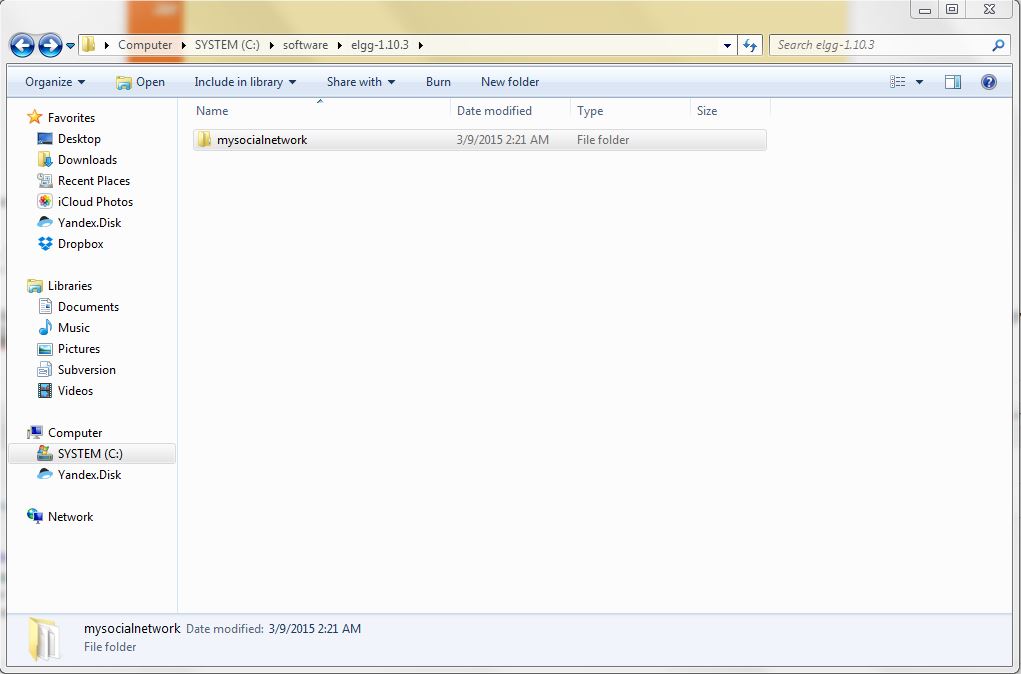
Download the latest Elgg package from https://www.elgg.org/download.php.Extract the downloaded zip file and rename the extracted folder to the name you want to give to your social networking website e.g. mysocialnetwork
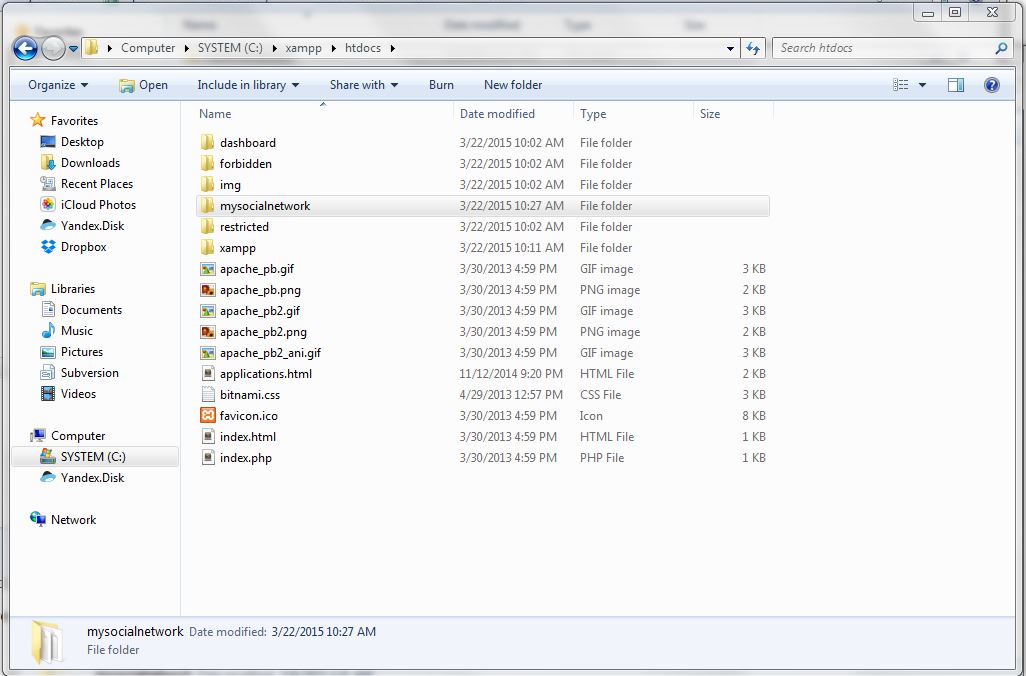
Now open your XAMPP directory and move to htdocs folder and copy the above mysocialnetwork folder here.
htdocs – web root directory
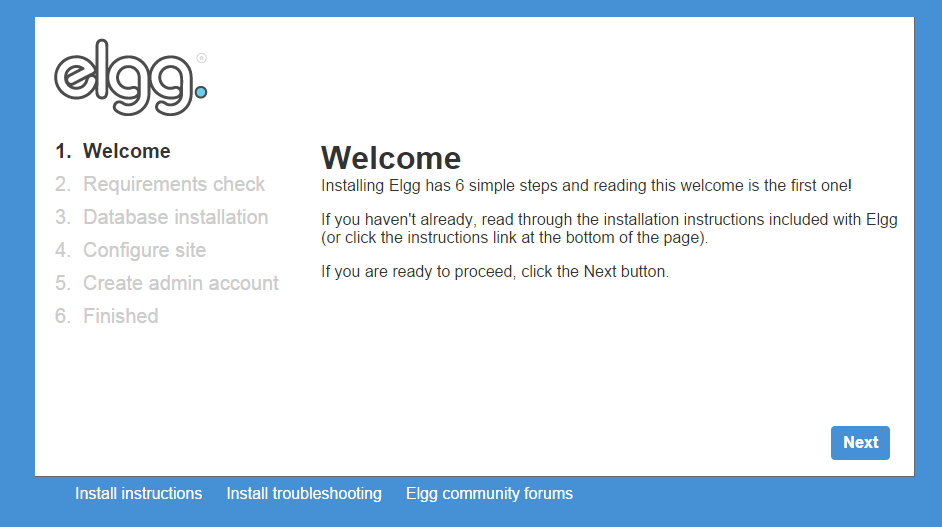
Now go to your browser and type http://localhost/mysocialnetwork, you will see following page
Elgg-Install
Follow the installation wizard and setup your social network –
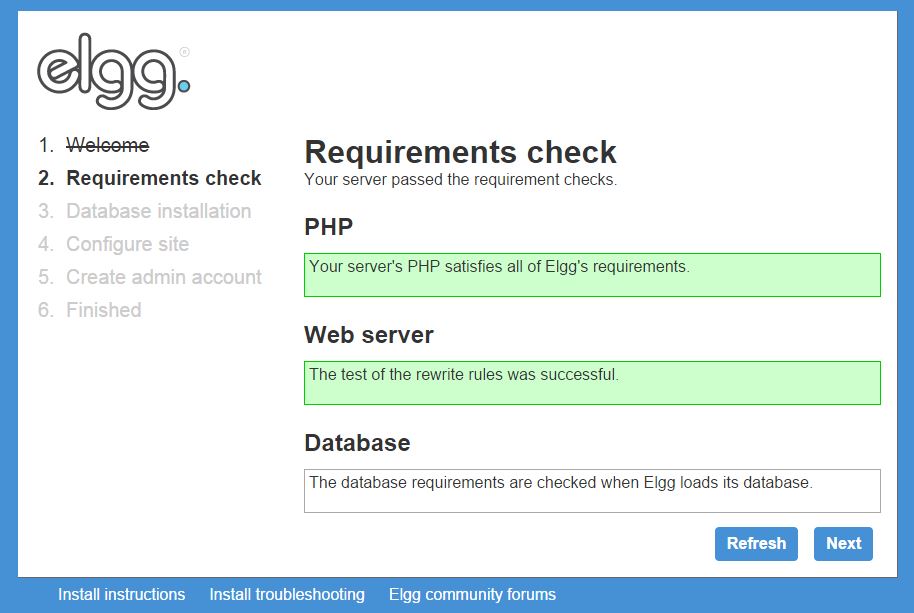
Requirement Check –
requirments check
If requirements check is okay you can move to next step.
Database Installation –
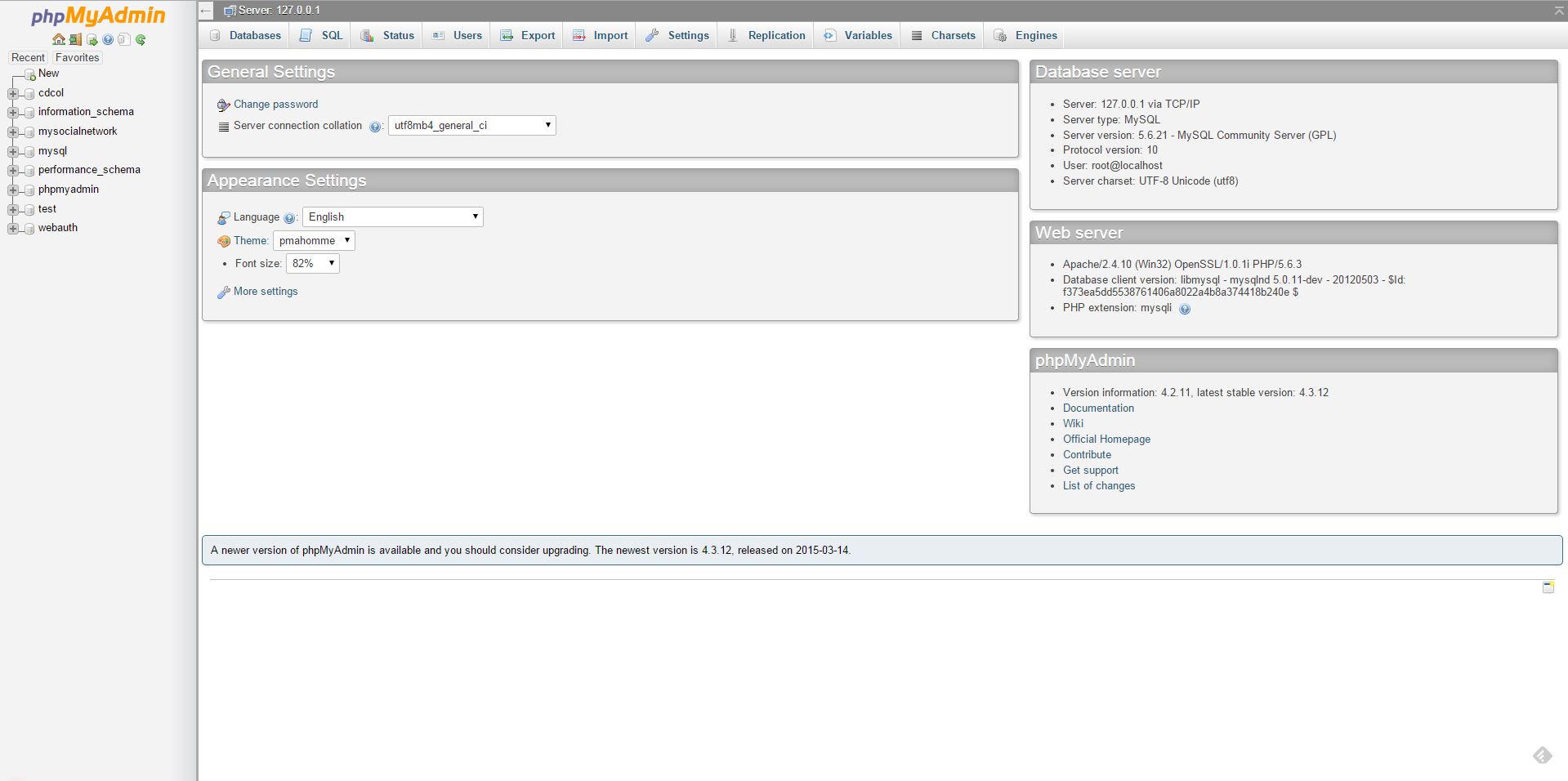
We already setup password for our database root user. We will now use these settings but before that go back to your XAMPP admin panel and click on the phpMyAdmin link on the left sidebar under Tools section. phpMyAdmin is web-based front-end for our MySQL database. Login to phpMyAdmin using root user and your password, it will open following page where we can manage your databases –
phpMyAdmin
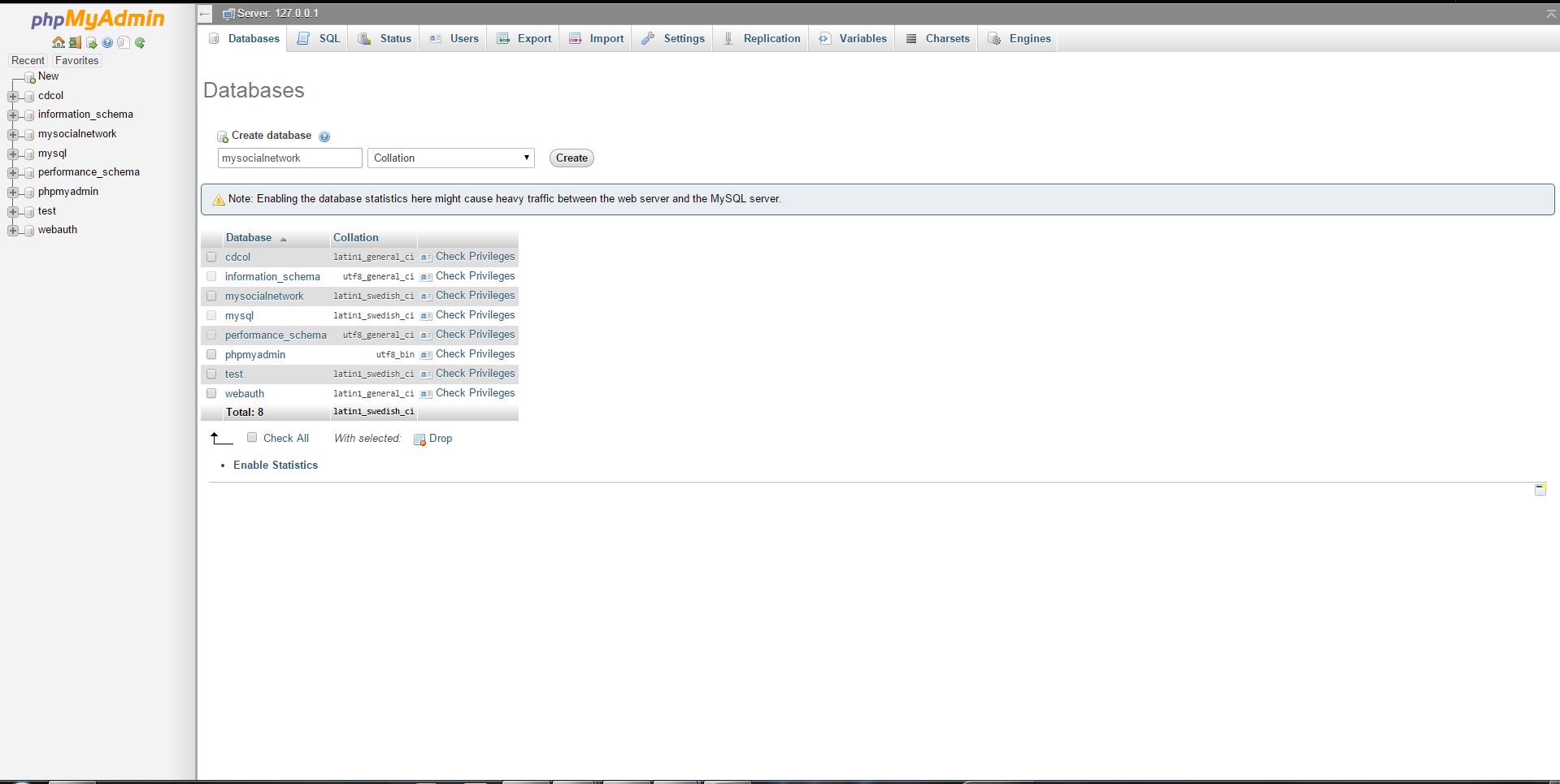
Now create a database for your social networking website which we will use in database installation setup of Elgg. e.g. we create mysocialnetwork database.
create database for your social network
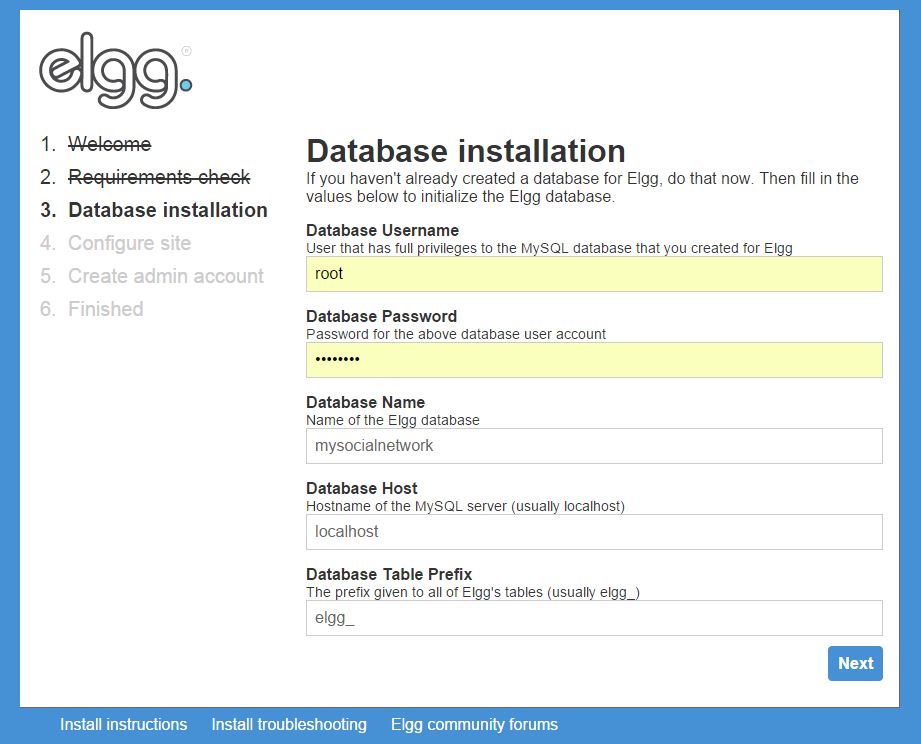
In database installation step of the Elgg installation wizard fill up the required fields and click next –
database setup
Configuring Site –
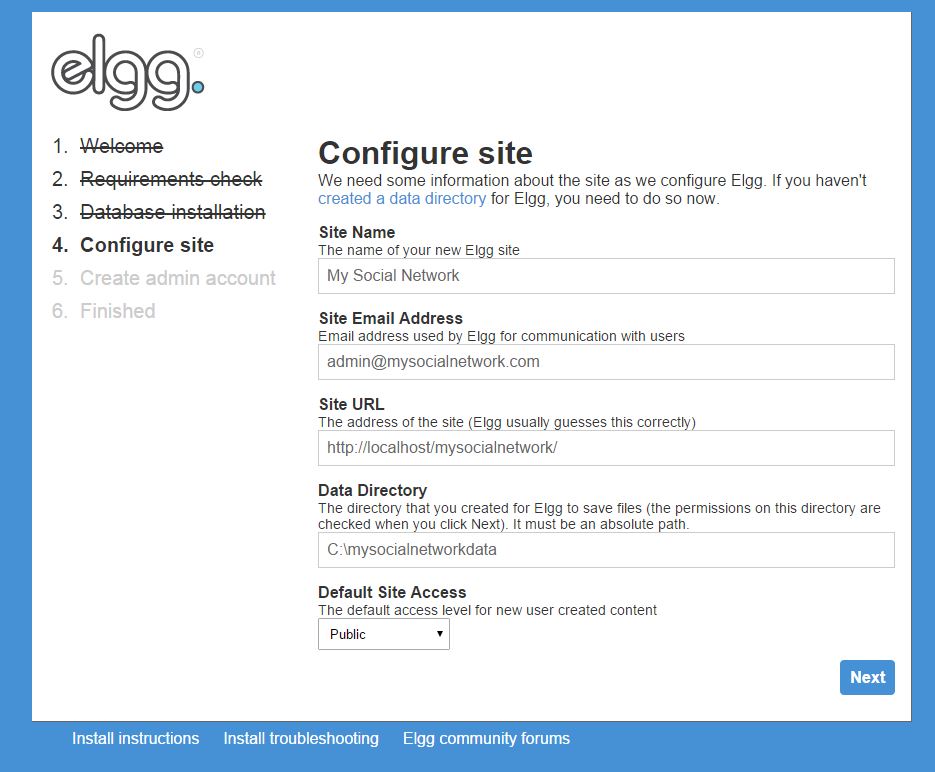
In this step give your social networking website a Name. If you have a mail server on your local you can give some mail address for now just give admin@yourmailserver.com. For the data directory create a directory to store your social networking data and give the absolute path here. e.g.we created mysocialnetworkdata in c:\
configuring site
Create Admin Account –
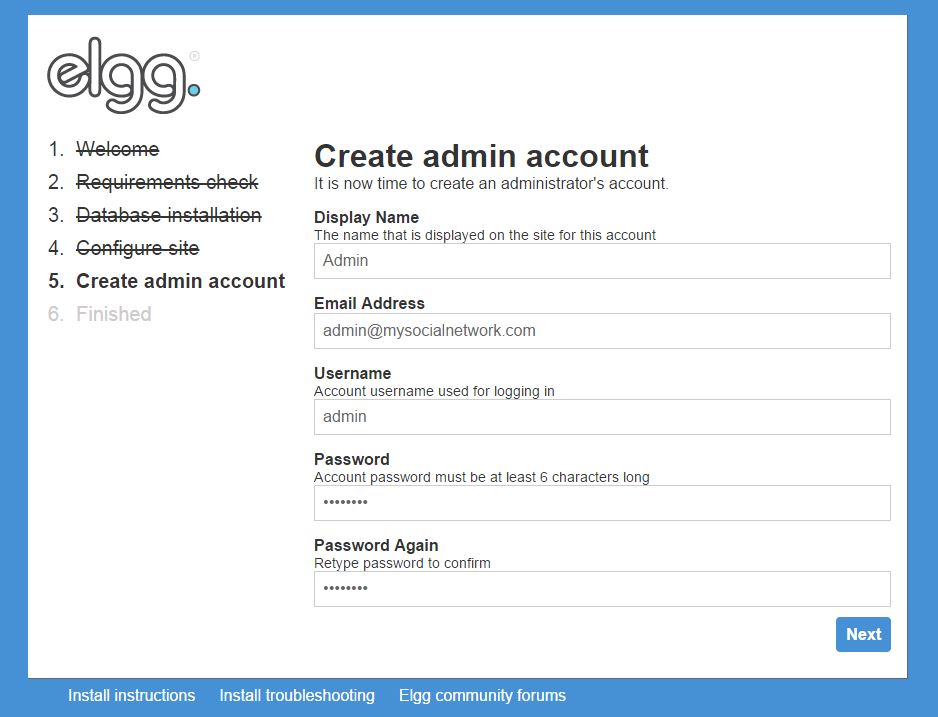
You will need a master admin account to manage your website. With this account you can control your social networking website, it’s users and contents. Create an admin account and click next –
create admin account
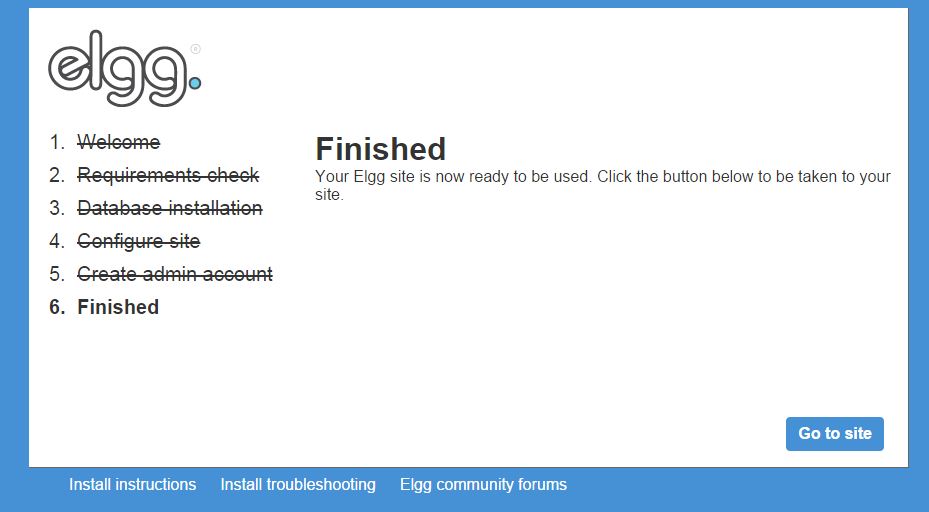
Get Ready For Awesome –
If you are seeing the following page, then everything is fine and you are a click away to see your awesome social network. Grab a beer and click on “Go to site”
finished
3. First Look at Your Social Network
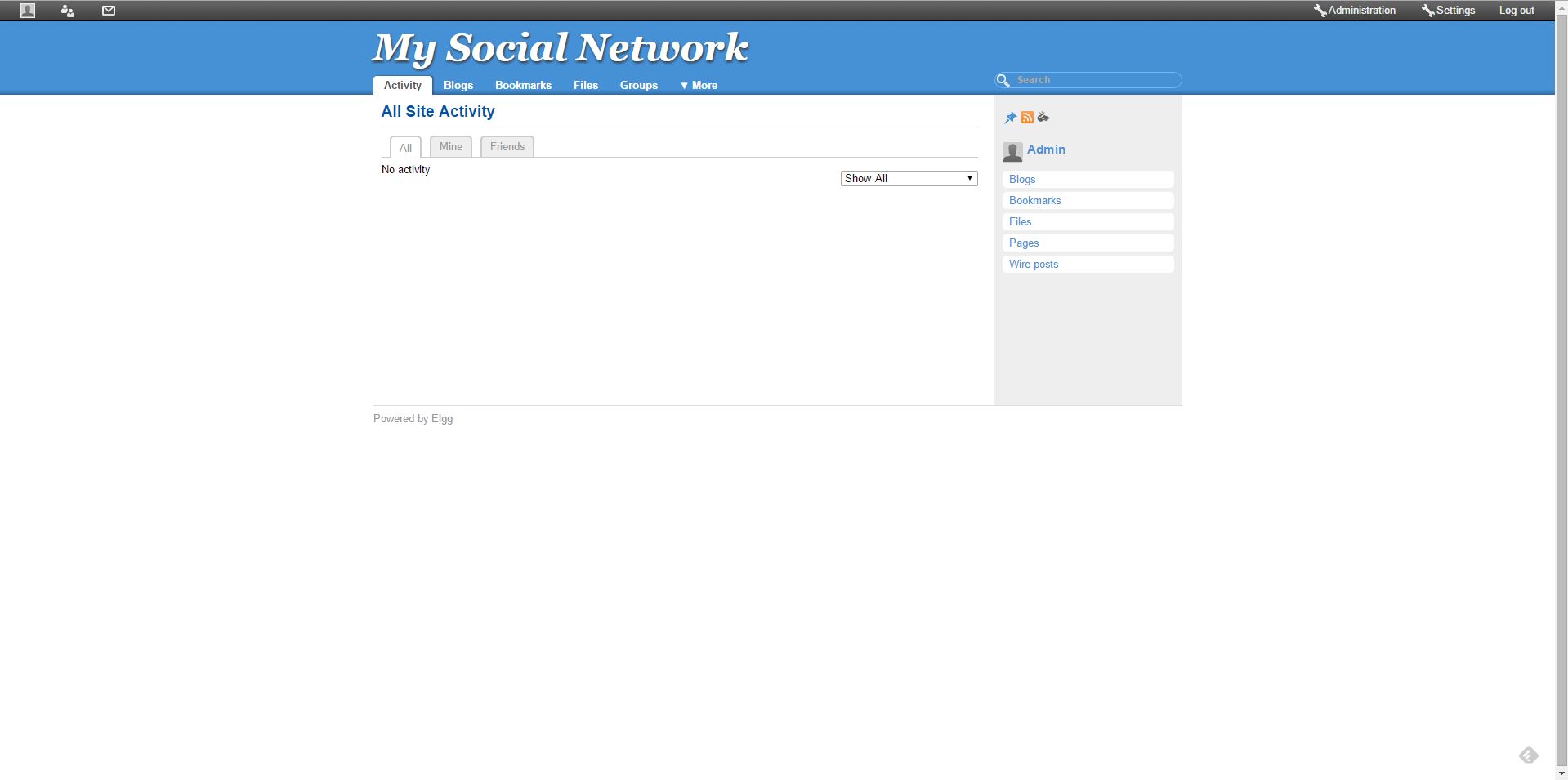
You have setup your development environment, installed and configured your social networking website. It’s time you see how it looks. On the administration page, click on visit site link present at right side of the top bar –
first look
4. Administration
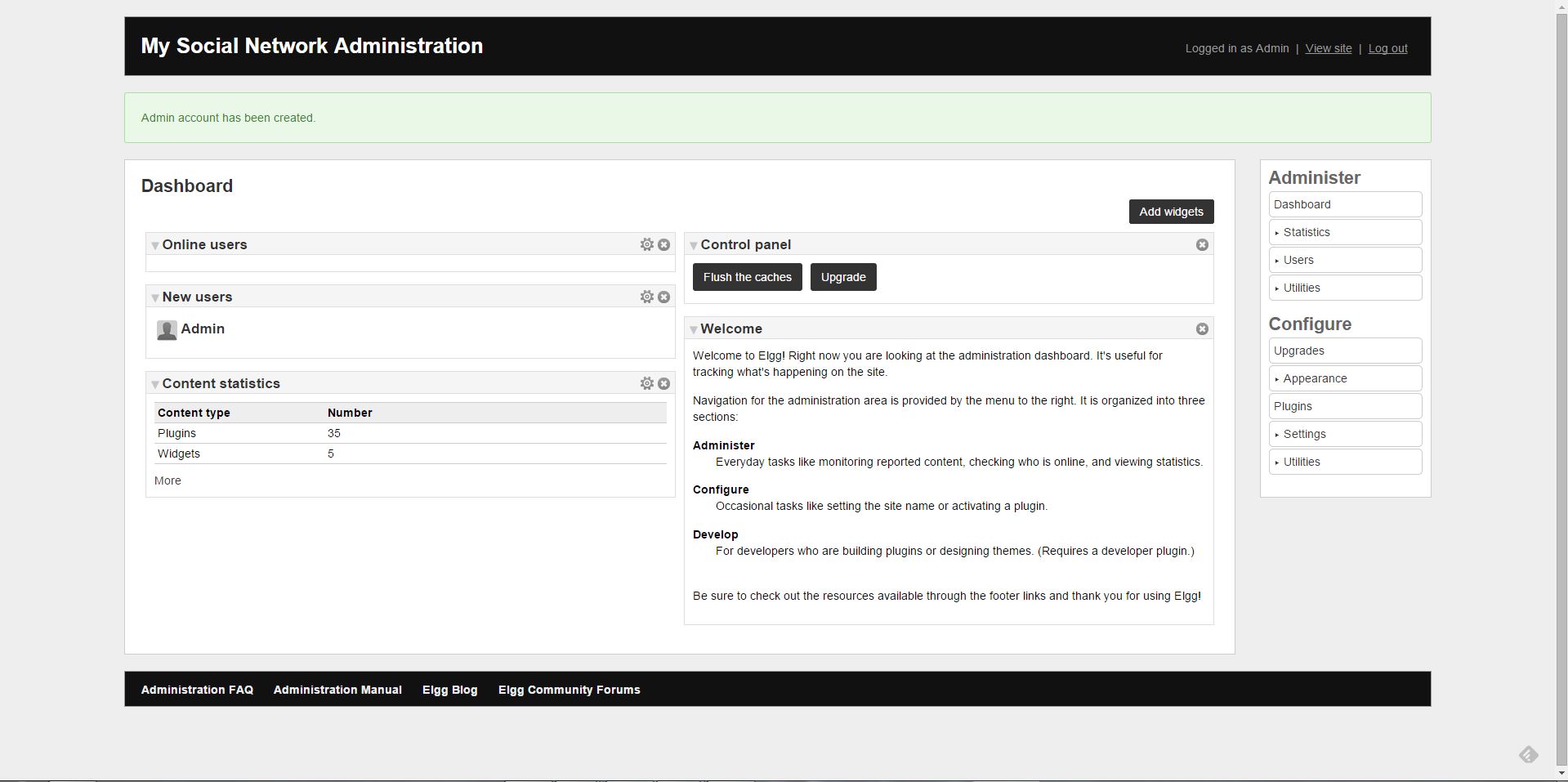
You have your own social network website up and running. Now you can use the administration panel to make this site as you want. You can change the look and feel, functionality, add plugins for more features and much more. Admin panel can be accessed at http://localhost/mysocialnetwork/admin with the credentials you have created while installing Elgg.
administrator panel
Managing Elgg and explaining every functionality is a huge topic and out of scope of this article. But we will give you enough resources, tutorials, books and examples to help you out in building your next great social network.
e.g. Let’s change you site theme to look like facebook
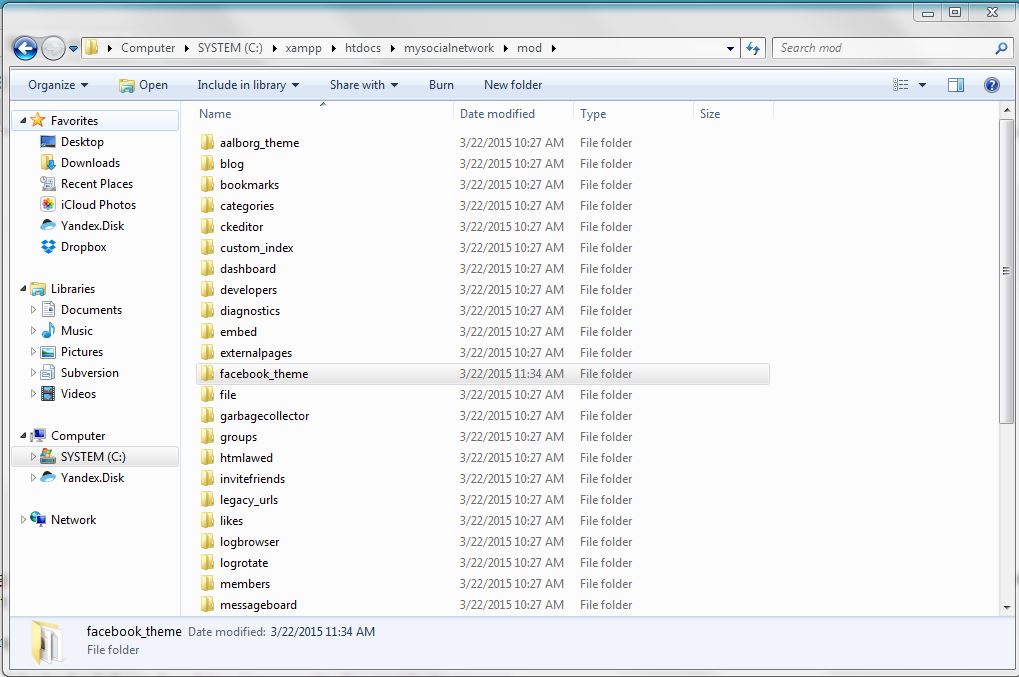
Extract it and put it in the mod folder of your social network website.
mod folder
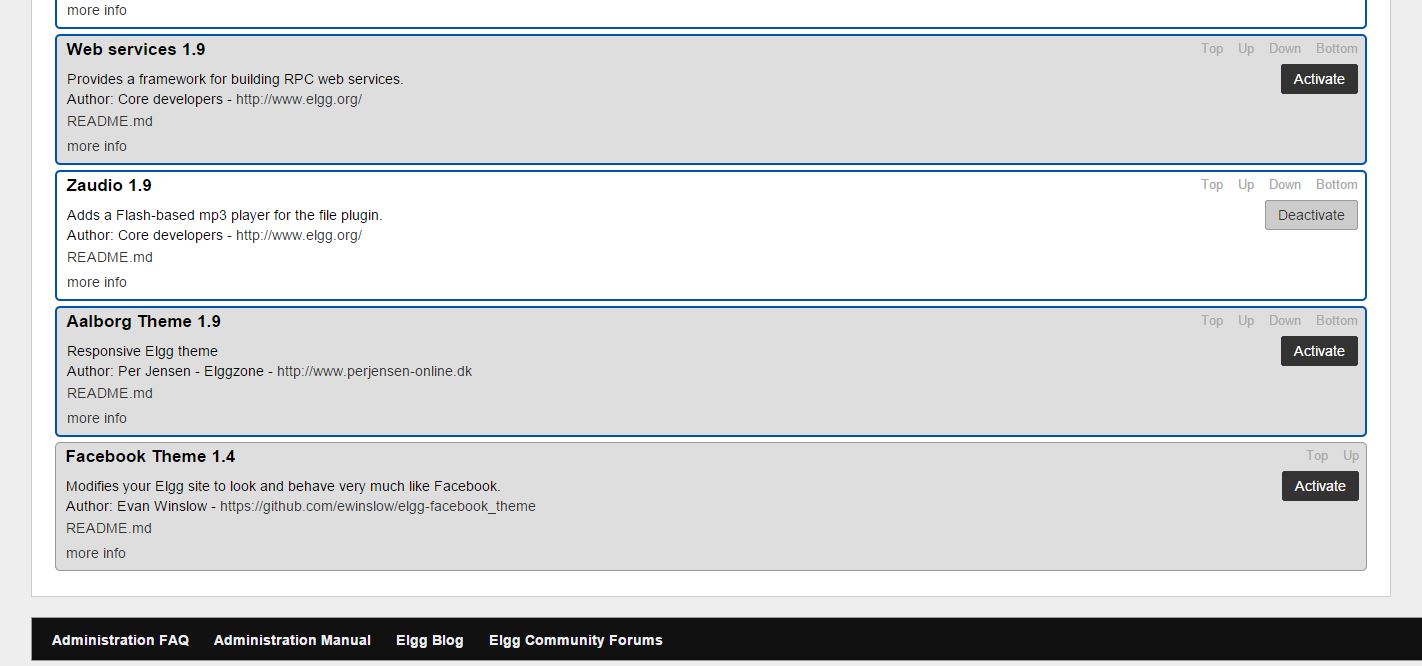
Enable it from Administration Panel
enable facebook theme
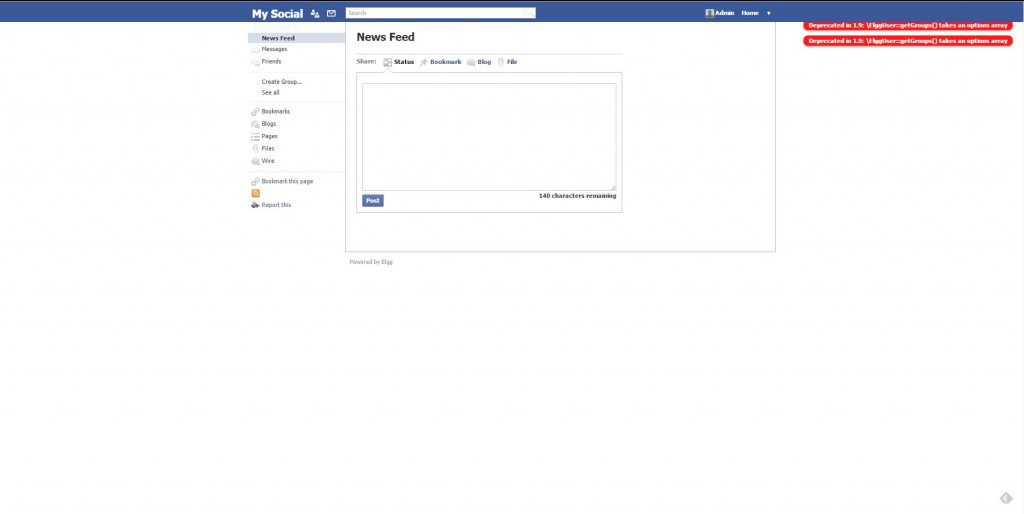
Click on visit site link and you will see that your site now looks like old facebook. Please remember that this plugin is very old and not been updated so you might see errors in it because new Elgg version is not compatible with it. We have used it just for demonstration purpose –